Valorant Patch 11.06 introduces the new Replay System to review past matches
Loading...
Introduction
Hey fellow agents! Riot Games has finally delivered one of the most anticipated updates in Valorant’s history with Patch 11.06. If you’re an avid player like me, you know how crucial reviewing your past games can be—learning from mistakes, refining tactics, and, of course, rewatching those epic plays. This patch doesn’t just bring minor fixes; it launches Valorant’s official Replay System. Yup, that’s right—the ability to rewatch past matches is now in-game, no external software needed! I want to walk you through everything important about this update and how the Replay System will change the way we grind and grow in Valorant.
What’s New in Patch 11.06?
Patch 11.06, rolling out on September 16 or 17, depending on your region, comes packed with features and fixes to tighten up gameplay and improve your overall experience.
Major Replay System launch for Competitive, Unrated, Swiftplay, and Premier matches on PC (excluding China at launch)
A massive ban wave removing about 40,000 bots over the last six months
Bug fixes like the rare invisibility bug affecting Yoru and Reyna
Removal of the RawInputBuffer setting for PC, enabling it permanently for better performance
Console-specific bug fixes related to weapon and spike highlighting, slated for Patch 11.07
The patch is a big deal not only for adding replays but also for cleaning up the gameplay environment with bot bans and technical improvements.
Introducing the Replay System: A Game-Changer
The star of this update is definitely the Replay System. For years, Valorant players have been requesting a way to re-experience matches to understand what went wrong or right. Riot listened loud and clear!
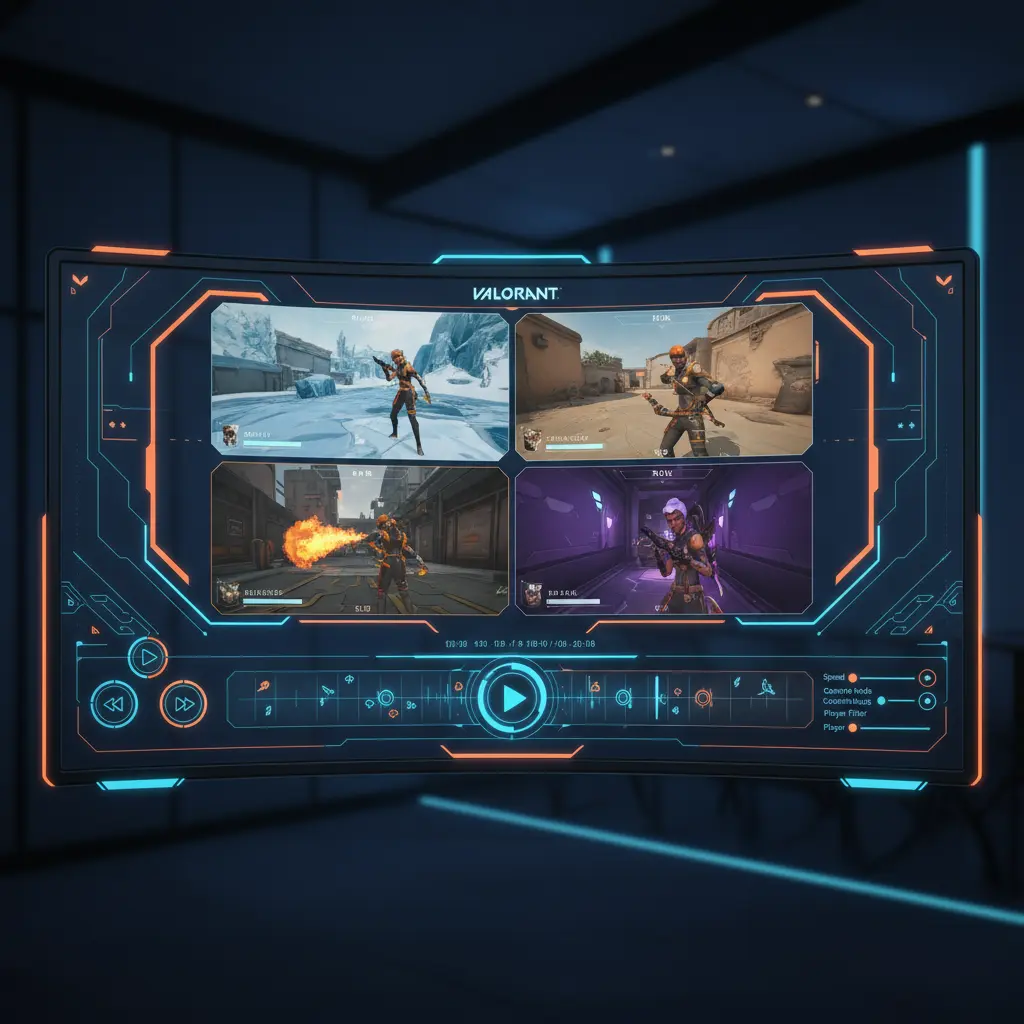
The Replay System is built to give players a full view of their recent matches—switch between first-person perspectives of all ten players, fast-forward, rewind, pause, or slow down gameplay. You can see kills, deaths, or ultimates on a timeline and even toggle friendly or enemy outlines (think wall hacks but legit!), and multiple camera angles including a free observer cam.
In my experience, seeing the round from your teammate’s POV or observing how the enemy moves through the map is invaluable. It’s like having a personalized coach available right here in the client.
How to Use the Replay System
Getting started with replays is simple. Once you update to Patch 11.06:
Head over to the Career or Match Details tab.
Pick an eligible match and hit the Replay button.
The replay loads with all controls enabled: pause, speed adjustment (.1x to 8x), round skip, and viewpoint switch.
You can also hide or display the HUD and minimap to focus entirely on gameplay mechanics or positioning. Want to follow specific projectiles like Sova’s Recon Dart? The system lets you.
The feature is currently limited to reviewing your own matches. Watching friend or pro matches isn’t part of the system just yet, but Riot is monitoring player feedback actively, so improvements could come.
Bug Fixes and Performance Updates
Patch 11.06 does more than just add replays. I noticed:
The weird bug causing Yoru and Reyna to reappear where they started after invisibility got squashed. No more spooky glitches!
The RawInputBuffer setting has been removed on PC and is now permanently enabled, meaning improved input responsiveness without manual tweaking for players.
These fixes make gameplay feel cleaner and more stable, especially competitive play.
Impact on Competitive Play and Community
The Replay System is a massive win for both casual and competitive gamers. For the pros, it’s a tool to dissect strategies, learn enemy habits, and improve teamwork. For regular players like myself, it helps review clutch moments or learn from missed opportunities.
Plus, the ongoing bot bans reinforce Riot’s commitment to a fair matchmaking experience, lowering the chances of frustrating matches against AI imposters.
I’ve already started using replays to break down rounds where I struggled, and it’s been eye-opening. I think other agents will feel the same—more tools to get better mean a stronger community overall.
Console Players and Future Updates
If you’re grinding Valorant on consoles, heads up! The Replay System will hit consoles with Patch 11.10 in November 2025. So the wait continues, but Riot confirms it’s on the roadmap.
Also, some known console-specific bugs related to weapon and spike highlight behaviors are slated for fixes in Patch 11.07, meaning things will keep improving steadily.
FAQs
Q1: Which game modes support the Replay System in Patch 11.06?
Competitive, Unrated, Swiftplay, and Premier matches support replays on PC except China at launch.
Q2: Can I watch my friends’ or professional players’ matches with the Replay System?
No, currently you can only view your own match replays.
Q3: What playback controls does the Replay System offer?
You can pause, rewind, fast-forward, change speed from 0.1x to 8x, skip rounds, and switch player viewpoints.
Q4: Are there any new bug fixes in Patch 11.06 besides the Replay System?
Yes, the bug causing Yoru and Reyna to teleport back after invisibility and updates to input performance on PC.
Q5: When will the Replay System be available for console players?
Replay functionality arrives for consoles in Patch 11.10, planned for November 2025.
Ovais Mirza, a seasoned professional blogger, delves into an intriguing blend of subjects with finesse. With a passion for gaming, he navigates virtual realms, unraveling intricacies and sharing insights. His exploration extends to the realm of hacking, where he navigates the fine line between ethical and malicious hacking, offering readers a nuanced perspective. Ovais also demystifies the realm of AI, unraveling its potential and societal impacts. Surprisingly diverse, he sheds light on car donation, intertwining technology and philanthropy. Through his articulate prose, Ovais Mirza captivates audiences, fostering an intellectual journey through gaming, hacking, AI, and charitable endeavors.
Disclaimer: The articles has been written for educational purpose only. We don’t encourage hacking or cracking. In fact we are here discussing the ways that hackers are using to hack our digital assets. If we know, what methods they are using to hack, we are in very well position to secure us. It is therefore at the end of the article we also mention the prevention measures to secure us.