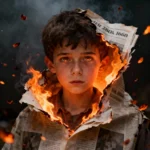
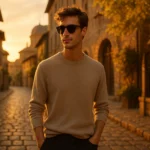
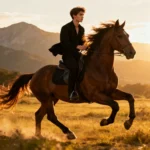
16K cinematic neon-night portrait generated using Midjourney AI.
Loading...
Introduction
The rise of neon-night aesthetics in 2025 has completely transformed digital fashion and editorial photography. And I’ll be honest — creating cinematic neon portraits used to feel impossible without expensive gear, a full production team, or a rain-soaked cyberpunk street. But with Midjourney, I’ve learned that you don’t need any of that. You just need the right prompt.
In this guide, I’m sharing 10 Midjourney AI Photo Editing Prompts to Create Stunning 16K Cinematic Neon Night Fashion Portraits — each crafted to deliver editorial-grade visuals with glowing city lights, high-fashion poses, and rich cyberpunk palettes. Whether you’re creating content for Instagram, modeling portfolios, or digital campaigns, these prompts will upgrade your work instantly.
Why Neon Night Fashion Portraits Are Trending
Neon-lit portraits have become a visual language of modern digital culture — sharp contrasts, glowing reflections, and deep futuristic colors. They feel alive. They feel cinematic. And they work incredibly well for fashion photography.
Midjourney’s latest models (especially V6 and RAW modes) handle neon lighting far more intelligently than before. You get:
accurate specular highlights
clean reflections on wet surfaces
deep contrast with realistic shadows
vibrant magenta–teal neon palettes
16K upscale support through Ultra or Max upscalers
The result is a level of sophistication you’d normally expect from studio-grade gear.
For full platform access, refer to the official site: Midjourney Official Website:https://www.midjourney.com
How to Create Neon Night Portraits in Midjourney
I’ll break it down the way I personally use it — simple, practical, and repeatable.
1. Access Midjourney
Join through Discord or use the official web app. Make sure you’re logged into a plan that supports high-resolution or Ultra upscales.
2. Craft Your Prompt
Use /imagine, followed by a richly detailed description. Include lighting, colors, pose, outfit, camera lens, and environment.
Midjourney responds incredibly well to cinematic cues like:
“shot on 85mm lens”
“wet neon-lit street”
“magenta–teal reflections”
“cyberpunk aesthetic”
3. Set Output Parameters
Portrait mode: –ar 9:16 or –ar 3:4
Latest model: –v 6
Ultra quality: –q 2
Realism: –style raw
4. Generate & Refine
Midjourney returns four images. Upscale the one that speaks to you.
5. Download in 16K
Use the Max Upscale feature (in web version or Discord) for getting extremely high-resolution outputs.
10 Midjourney Prompts for 16K Cinematic Neon Night Fashion Portraits
Below are all prompts rewritten into single paragraphs exactly as you requested — human-style, flowing, and optimized for immediate copy-paste usage.
Prompt 1
“Create a 16K ultra-realistic cinematic night portrait of the same young man, using the exact face with zero changes, sitting under a graffiti-covered bridge on a misty wet neon-lit street where glowing magenta, teal, and violet reflections spread across puddles; captured from a low 50mm f/1.4 perspective with shallow depth, relaxed confident seated pose with one knee raised, hood slightly forward, wearing a dark hoodie with blue glow accents, charcoal cargo pants, red-white sneakers, black shades low on the nose, and silver chain; cinematic rim light, film grain, bokeh cars in background, conveying mysterious street strength.”
Prompt 2
“Create a 16K hyper-real neon night portrait of the same young man on a rain-soaked neon street beneath a graffiti bridge, seated casually with one leg bent and the other extended, leaning slightly back with a fearless calm gaze through sunglasses; wearing a black hoodie with magenta glow trims, dark cargos, red-black sneakers, silver chain and ring; neon magenta-blue-purple highlights reflecting on wet asphalt, cinematic fog glow, rim lighting, and bokeh car trails captured with a 50mm f/1.4 shallow DOF and subtle film grain.”
Prompt 3
“Generate a 16K cinematic neon night portrait of the young man standing boldly under a graffiti bridge on a neon-lit wet street, adjusting the collar of an oversized neon graphic hoodie with one hand while the other rests in his pocket, head tilted upward with confident attitude; black shades, wide cargo pants, chunky red-white sneakers, teal-magenta reflections on ground, rim lighting, bokeh cars, 85mm f/1.4 shallow DOF, realistic textures, cyberpunk fashion vibe, add glowing silver text ‘AmanZaid Creations’ bottom-left.”
Prompt 4
“Create a 16K ultra-realistic night portrait of the young man sitting casually on the concrete edge under a graffiti bridge on a neon-lit wet street after rain, one leg stretched and the other bent with elbow resting on knee, calm confident gaze, black hoodie with blue accents, cargo pants, red-white sneakers, silver chain, watch, and shades; cinematic rim glow, neon sign reflections, car light trails, lens flare, foggy air, captured from a low-angle 50mm f/1.4 perspective with film grain.”
Prompt 5
“Generate a 16K cinematic neon night portrait of the young man seated sideways on a barrier under a graffiti bridge, head turned with confident gaze, one leg folded, black hoodie with cyan glow accents, charcoal cargos, red-white sneakers, silver chain and bracelet, dark sunglasses; teal-magenta-violet reflections across puddles, rim lighting, fog glow, bokeh cars, 50mm f/1.4 shallow DOF, subtle grain, editorial mood full of calm authority.”
Prompt 6
“Create a 16K ultra-realistic neon night cinematic portrait of a young man seated on a wet neon-lit sidewalk under a glowing urban bridge, one knee raised supporting his elbow, reflective sunglasses catching purple-blue-magenta neon highlights; neon green hoodie with chrome accents, black cargos, white-silver sneakers; atmospheric fog, rimlit edges, bokeh car trails, 50mm f/1.4 shallow DOF, high fashion street energy.”
Prompt 7
“Generate a 16K cinematic neon night portrait of the young man leaning against a graffiti wall under neon lights, arms crossed, black leather jacket with neon stitching, distressed jeans, black boots, intense smirk towards the camera; wet asphalt glowing in teal-pink-violet, fog rising, bokeh cars behind, 50mm f/1.4 shot with soft vignette and grain, conveying rebellious cyberpunk fashion aesthetic.”
Prompt 8
“Create a 16K ultra-realistic night portrait of the young man standing on a graffiti-covered bridge overlooking neon-lit streets, hands in pockets, stoic confident expression, oversized jacket with neon patches, cargo pants, chunky sneakers; backlit by magenta-purple-blue neon signs creating silhouette glow, 85mm f/1.4 shallow DOF, atmospheric mist, cinematic futuristic fashion mood.”
Prompt 9
“Generate a 16K cinematic neon portrait of the young man leaning on a chain-link fence under a graffiti bridge, one hand in pocket, calm steady gaze through dark shades, dark bomber jacket with neon blue piping, cargo pants, red-white sneakers; neon reflections coloring wet pavement, rising mist, rim lighting, bokeh car headlights, 50mm f/1.4 DOF, gritty urban vibes with film grain.”
Prompt 10
“Create a 16K ultra-realistic neon night portrait of the same young man walking through a wet neon-lit street below a graffiti bridge, glancing over his shoulder with confident determination, wearing an oversized dark hoodie with neon pink stripes, cargo pants, and red-white sneakers; glowing puddles reflecting magenta-teal-purple lights, cinematic softness, fog glow, 50mm f/1.4 lens, shallow DOF, editorial cyberpunk energy.”
Tips & Techniques for Best Results
Use specific color language: neon magenta, cyberpunk teal, violet glow.
Add lens cues: 50mm or 85mm helps Midjourney mimic real optics.
Ovais Mirza, a seasoned professional blogger, delves into an intriguing blend of subjects with finesse. With a passion for gaming, he navigates virtual realms, unraveling intricacies and sharing insights. His exploration extends to the realm of hacking, where he navigates the fine line between ethical and malicious hacking, offering readers a nuanced perspective. Ovais also demystifies the realm of AI, unraveling its potential and societal impacts. Surprisingly diverse, he sheds light on car donation, intertwining technology and philanthropy. Through his articulate prose, Ovais Mirza captivates audiences, fostering an intellectual journey through gaming, hacking, AI, and charitable endeavors.
Disclaimer: The articles has been written for educational purpose only. We don’t encourage hacking or cracking. In fact we are here discussing the ways that hackers are using to hack our digital assets. If we know, what methods they are using to hack, we are in very well position to secure us. It is therefore at the end of the article we also mention the prevention measures to secure us.