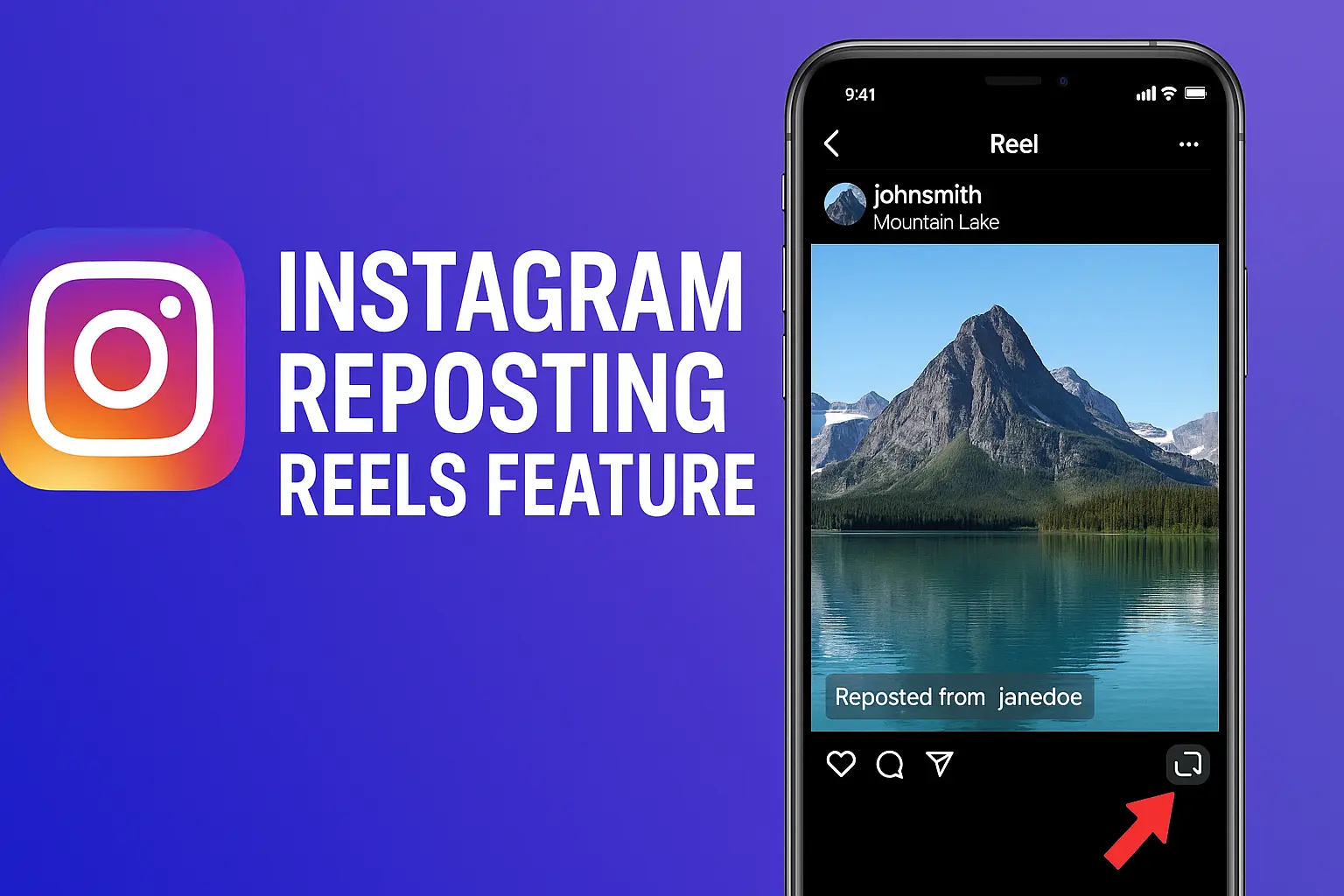
Instagram introduces new repost feature for Reels and feed posts
Loading...
What is the Instagram Reposting Reels Feature?
Alright, so here’s the deal.
For as long as I can remember, sharing someone else’s content on Instagram was kind of… awkward. Either you’d toss it into your story for 24 hours or DM it to a friend. But reposting? Like actually sharing someone else’s Reel or post onto your own main feed? Nah, that wasn’t possible.
Until now.
Instagram finally introduced the Reposting Feature that lets users officially reshare public Reels and feed posts — with credit. This means more visibility for creators and easier content discovery for users.
And yeah, it’s kind of like what Twitter (or X now) and TikTok have been doing for years. But Instagram’s way feels a little more polished, IMO.
How Does Instagram Reposting Work?
Here’s how it goes — and trust me, it’s super intuitive.
Reposting a Reel or Post:
Step
Action
1
Tap the repost icon (looks like two arrows forming a square) beneath the Reel or post.
2
Add an optional note — maybe why you’re reposting it or a personal thought.
3
Hit repost — it’ll show up on your followers’ feeds and in your own Reposts tab.
I tried it with a food Reel last week, and I was surprised at how smooth it felt. No third-party apps. No tagging hacks. Just clean, in-platform resharing.
Where Do Reposts Appear on Your Profile?
You’ll now notice a new tab on your Instagram profile labeled “Reposts” — right next to your saved posts or tagged photos.
Think of it as your curated gallery of shared inspirations, humor, or whatever vibe you’re going for. It’s visible to your followers, so what you repost becomes part of your Insta identity.
Why This Update Matters (Especially for Creators)
As a digital marketer, let me tell you — this is a big deal for creators.
Here’s why:
Benefit for Creators
Description
Attribution
Every repost retains the original username and links back to the source post.
Organic Reach
Your content can now reach new audiences without paid promotion.
Community Boost
Reposts act like endorsements — users only share what they genuinely connect with.
So, if you’re a content creator? Get ready. Your Reels might start popping up in feeds you’ve never targeted before.
Privacy Settings & Limitations
There’s always a flip side.
Only content from public accounts can be reposted. If you’ve got a private account, your posts are off-limits for reposts — and that’s honestly a good thing from a privacy standpoint.
Plus, if someone reposts your content and you’re not thrilled, you can disable reposting from your privacy settings. You’re always in control.
I still use stories for quick shoutouts, but for things I really want to boost — like a powerful Reel or visual post — reposting is the way to go.
Final Thoughts: Is This a Win for Users?
Absolutely, yes.
From what I’ve seen in my own feed, this update adds a layer of community that Instagram was kind of missing. It bridges that “one-sided creator-viewer” gap and makes engagement more meaningful.
Plus, I don’t have to keep screenshotting posts or copying links. I just hit repost and boom — shared. Easy.
It’s about time, Instagram.
FAQs
1. Can I repost content from a private account?
Nope. Only public accounts are eligible for reposting. If a private account shares something, the repost button won’t appear.
2. Where can I find reposted content on my profile?
Instagram places all your reposts in a new tab called “Reposts” alongside your tagged or saved posts.
3. Will the original creator be notified when I repost?
Yes! Creators get a notification when their content is reposted, and the repost links directly to their original post.
4. Can I stop people from reposting my content?
Absolutely. Head into Settings > Privacy > Reposts and toggle off the option.
5. Is this feature available to everyone?
It’s currently rolling out to all users globally. If you don’t see it yet, make sure your app is updated to the latest version.
Ovais Mirza, a seasoned professional blogger, delves into an intriguing blend of subjects with finesse. With a passion for gaming, he navigates virtual realms, unraveling intricacies and sharing insights. His exploration extends to the realm of hacking, where he navigates the fine line between ethical and malicious hacking, offering readers a nuanced perspective. Ovais also demystifies the realm of AI, unraveling its potential and societal impacts. Surprisingly diverse, he sheds light on car donation, intertwining technology and philanthropy. Through his articulate prose, Ovais Mirza captivates audiences, fostering an intellectual journey through gaming, hacking, AI, and charitable endeavors.
Disclaimer: The articles has been written for educational purpose only. We don’t encourage hacking or cracking. In fact we are here discussing the ways that hackers are using to hack our digital assets. If we know, what methods they are using to hack, we are in very well position to secure us. It is therefore at the end of the article we also mention the prevention measures to secure us.