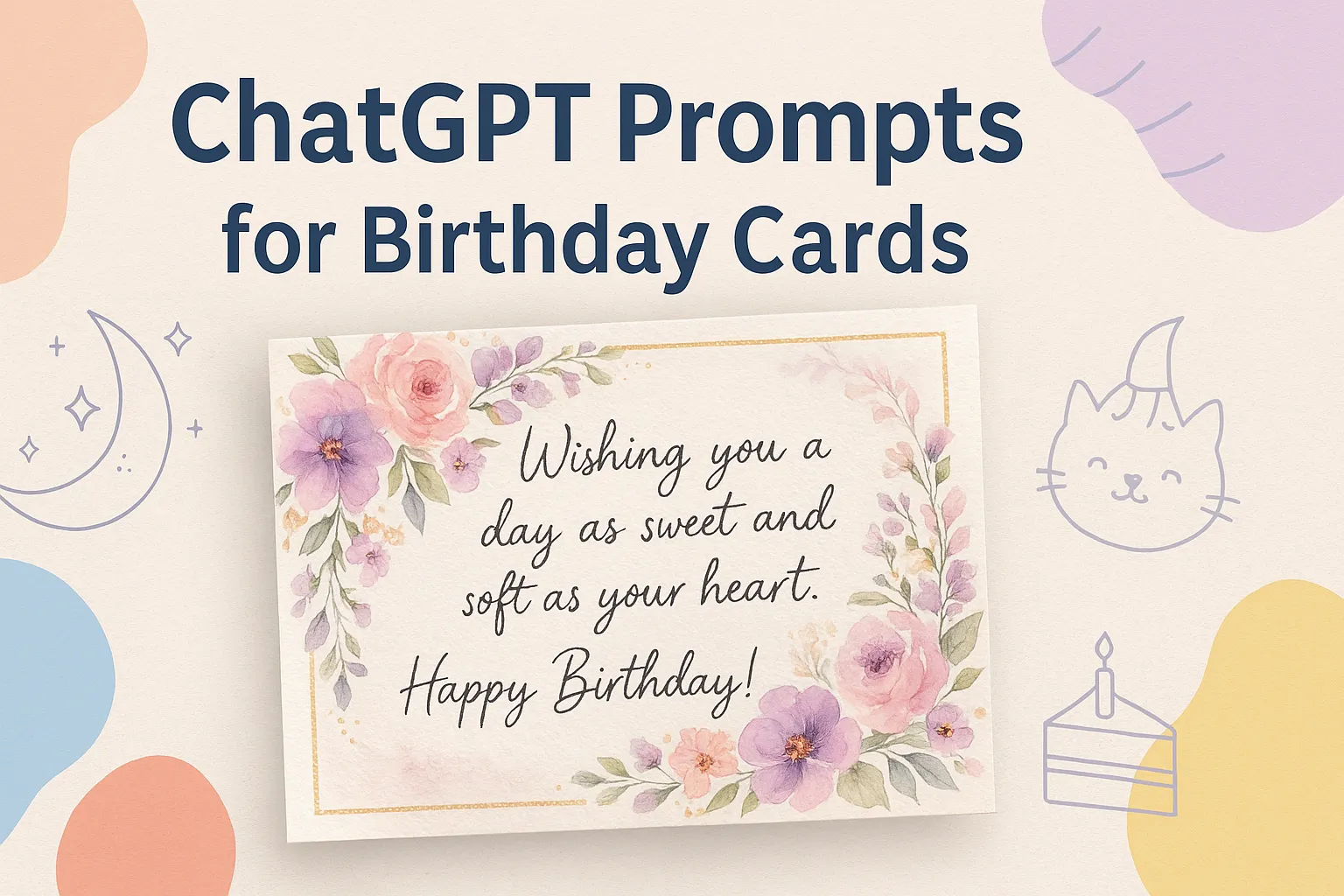
A pastel birthday card design with watercolor flowers and gold accents, created from ChatGPT prompt “Pastel Flowers & Gold Accents.”
Loading...
Introduction
I’ve always loved the idea of birthday cards. There’s something tangible, something special about receiving a card made just for you. In a world full of quick texts and email blasts, a custom card still stands out. These days I’ve discovered that you don’t need design skills or hours of work—thanks to tools like ChatGPT you can generate uniquely styled birthday cards through prompts. I tested many of them and found some that reliably deliver charming designs. In this article, I’ll walk you through how I use ChatGPT to create digital birthday cards, share my favourite prompts, and give you practical tips to make them pop.
2. Why Digital Birthday Cards Work
Digital cards have gained traction for good reasons. They’re fast to create. They’re easy to share across devices. They’re more eco-friendly than physical cards. And—when done right—they carry the same heartfelt sentiment as a printed one. According to the Greeting Card Association, personalised cards outperform generic ones in emotional impact. With AI-help, you can personalise quickly and affordably. Whether you’re sending to a friend, colleague or family member—you’ll feel the difference. When I started using prompts to create cards, I realised just how much difference the tone, colours, and imagery make. Sometimes the card becomes as memorable as the message.
Step 2: Write or paste a prompt describing how you want the card to look. Be specific about style, colours, imagery and text.
Step 3: Optionally, upload a reference image if you want a certain character or design element.
Step 4: Let ChatGPT generate the card design. You may need to iterate or adjust wording slightly.
Step 5: Save or export the generated design. You can refine it further in a design tool if you want.
The key is a well-crafted prompt—give it enough detail so the AI knows what you envision. ChatGPT’s ability to follow nuanced instructions makes all the difference.
4. 10 Favourite Prompts for Digital Birthday Cards
Here are ten ready-to-use prompts that I found work brilliantly for different styles.
Pastel Flowers & Gold Accents Create a pastel aesthetic birthday card with soft tones of pink, lavender, and cream. The design should feature watercolor flowers and delicate gold accents around the border. Add a light handwritten-style font for the text. The background should be slightly textured, like fine art paper, giving a cozy and elegant vibe. Text on Card: “Wishing you a day as sweet and soft as your heart. Happy Birthday!”
Dreamy Twilight Landscape Create a whimsical watercolor birthday card featuring a dreamy landscape. The design should have a soft, blended background of pastel blues, purples, and pinks, resembling a twilight sky. Scatter delicate, hand-painted style stars and a crescent moon across the scene. In the foreground, include a charming illustration of a silhouette of a person on a swing hanging from a cloud. The text should be in a flowing, calligraphic font. Text to be written on the birthday card: “Happy Birthday! May your special day be as magical as a dream.”
Minimal Modern Geometry Create a minimal modern birthday card with a clean white background and subtle beige tones. Use a geometric layout with thin gold or black lines for structure. Add a single balloon and cake icons at the centre in a muted tone. Use elegant sans-serif typography for the message. Text on Card: “Happy Birthday. Simple moments, big smiles, endless joy.”
Kawaii Cute & Playful Create a kawaii-style birthday card with pastel colours like baby blue, soft pink, and mint green. Add cute cartoon-style characters, smiling cupcakes, stars, and balloons, with shiny highlights and rounded edges. The card should feel cheerful and playful. Text on Card: “Have the sweetest birthday ever! You deserve all the cuteness today!”
Luxury Navy & Gold Create a luxury birthday card with a deep navy blue background and metallic gold foil details. Add a minimalist floral illustration in gold and use an elegant serif typeface for the message. Include subtle light reflections for a premium look. Text on Card: “Cheers to elegance, grace, and another year of brilliance. Happy Birthday!”
Rustic Nature & Pressed Flowers Create a rustic and nature-inspired birthday card with an earthy and organic feel. The design should incorporate elements like pressed flowers, leaves, and a textured paper background. The colour palette should be muted and natural, with shades of brown, green, and cream. The text should be in a handwritten-style font. Text to be written on the birthday card: “Happy Birthday! Wishing you a day of peace, joy, and connection with nature.”
Cute Animal Character Create a playful and charming illustrated birthday card featuring a cute animal character. The central image could be a cheerful bear holding a balloon. The illustration style should be whimsical and story-book-like, with soft colours and friendly expressions. The background can have fun patterns like polka dots or stripes. Text to be written on the birthday card: “Happy Birthday! Hope your day is filled with fun, laughter, and lots of cake!”
Watercolour Balloons & Clouds Create a whimsical watercolor birthday card featuring hand-painted balloons, confetti, and clouds in soft blue and pink tones. The card should have a light dreamy atmosphere, like a watercolor painting on textured paper. Text on Card: “Float high with happiness today. Wishing you the most magical birthday!”
Vintage Faded Florals Create a vintage-style birthday card with soft cream paper texture, faded floral illustrations, and old-style typography. Include roses, peonies and vines with slightly muted colours for a timeless aesthetic. Text on Card: “May your birthday be filled with timeless beauty and endless joy.”
Retro 80s Neon Vibes Create a retro 80s-inspired birthday card with neon gradients, geometric shapes, and a dark purple background. Include glowing lines, disco-inspired effects, and a fun pixel-style or chrome text. Make it feel nostalgic yet energetic. Text on Card: “Back to the fun times, it’s your day to shine! Happy Birthday!”
5. Tips for Better Results
You’ll get better outcomes if you keep these in mind:
Be specific. Vague prompts give vague results. Mention colours, fonts, mood.
Use style keywords. Words like “watercolour”, “kawaii”, “minimal modern”, “luxury foil” help set the tone.
Download and refine. Sometimes the AI output is almost perfect—but you may want to tweak spacing or typography.
Match recipient’s personality. A playful card for a friend; a luxury one for a VIP. Choose accordingly.
Print or digital. Decide beforehand if it’s going to be shared digitally or printed. That influences dimensions, resolution, format.
Test across devices. If it’s being sent via WhatsApp or email, make sure it looks good on mobile.
I liken it to designing with a partner—you give the AI the vision, and it executes. You then fine-tune. It’s fun and far better than starting from a blank page.
FAQs
Q1: Do I need design skills to use these prompts?
A1: Not really. That’s the beauty of using ChatGPT for card creation. You just need descriptive language—pick your style and the AI does the rest. With a little iteration you’ll achieve great results.
Q2: Can I print the card after generation?
A2: Yes. Typically the AI output can be saved as an image or PDF. Make sure you check the resolution (300 dpi for print is ideal) and choose correct dimensions for print format.
Q3: Are these prompts limited to ChatGPT only?
A3: They’re tailored for ChatGPT, especially when using the image-generation or design tool capability. But many of these descriptive prompts can work with other AI graphic tools too.
Q4: Can I customise the prompts for other occasions?
A4: Definitely. You can swap “Birthday” for “Congratulations”, “Thank You”, or “Get Well Soon”. Adjust colours, text and imagery accordingly. The structure works.
Q5: What if the design isn’t quite right the first time?
A5: It happens. Just go back and refine your prompt: change a word, add a mood descriptor, or adjust colour palette. You’ll find the sweet spot within a couple of tries.
Ovais Mirza, a seasoned professional blogger, delves into an intriguing blend of subjects with finesse. With a passion for gaming, he navigates virtual realms, unraveling intricacies and sharing insights. His exploration extends to the realm of hacking, where he navigates the fine line between ethical and malicious hacking, offering readers a nuanced perspective. Ovais also demystifies the realm of AI, unraveling its potential and societal impacts. Surprisingly diverse, he sheds light on car donation, intertwining technology and philanthropy. Through his articulate prose, Ovais Mirza captivates audiences, fostering an intellectual journey through gaming, hacking, AI, and charitable endeavors.
Disclaimer: The articles has been written for educational purpose only. We don’t encourage hacking or cracking. In fact we are here discussing the ways that hackers are using to hack our digital assets. If we know, what methods they are using to hack, we are in very well position to secure us. It is therefore at the end of the article we also mention the prevention measures to secure us.