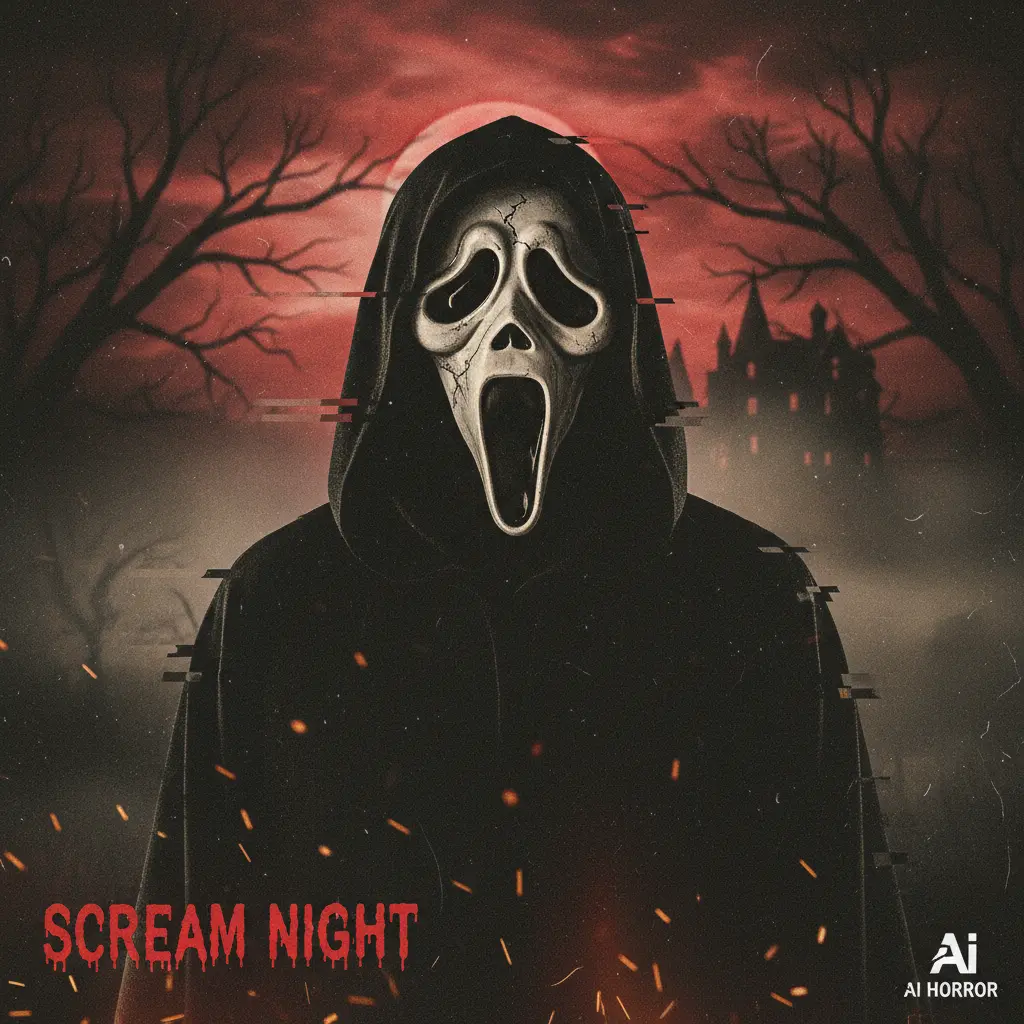
Join the viral Google Gemini AI Ghost Face trend and transform your selfies into spooky Scream-inspired portraits
Loading...
What Is the Google Gemini Ghost Face Trend?
You may have noticed a new spooky craze sweeping Instagram and other social platforms—it’s the Ghost Face AI trend powered by Google Gemini AI. Inspired by the iconic Ghostface mask from the Scream movies, this trend lets users transform selfies into cinematic, eerie portraits. The magic lies in the Gemini AI’s ability to blend horror aesthetics with retro and Y2K vibes, making each image feel both nostalgic and creepy.
From dimly lit bedrooms with grainy 90s textures to eerie hallways with shadows lurking behind, Gemini AI helps create these suspenseful scenes with just a few descriptive prompts. The images are perfect for Halloween posts but have caught on beyond seasonal use, captivating many with their stylish horror look.
In a nutshell, it’s a digital spin on horror cosplay—no mask or props needed, just your selfie and a creative Gemini prompt.
How to Create Ghost Face AI Photos Using Google Gemini
Making your own Ghost Face AI photo is surprisingly easy. All you’ll need is access to Gemini AI—a free or low-cost tool by Google—and a clear selfie. Here’s a quick rundown:
Upload Your Selfie: Choose a well-lit photo so Gemini AI can place the Ghostface character naturally behind or near you.
Enter the Prompt: For example, you could input a detailed prompt such as, “Create a cinematic scene with me in my bedroom at night, Ghostface standing behind me in the doorway, partially in shadow. Dim, moody lighting with long shadows, grainy 90s film style, keeping my face natural.”
Generate the Image: Gemini AI processes your input and creates a chilling cinematic photo.
Download and Share: Post your new Ghost Face AI image on Instagram, TikTok, or X with hashtags like #GhostfaceAI and #GeminiAI.
Experimenting with prompts and lighting effects lets you customize the mood, from eerie candlelit scenes to retro party vibes.
Popular Ghost Face AI Prompts You Can Try
Below is a table with example prompts to inspire your Ghost Face AI creations:
Prompt Description
Scene Setting
Lighting/Mood
Ghostface Position
Dreamy Y2K portrait on pink satin bedding with popcorn sharing
Girly 90s bedroom
Grainy 90s style, lamp light
Sitting next to subject
Haunted corridor with flickering candles
Gothic hallway
Dim candlelight shadows
At far doorway
Couple walking in rainy street with glowing lamps
Dark street
Retro film grain, glowing lamps
Shadowy alley behind
Group at Halloween party with neon & candle lights
Party table with pumpkins
Neon party lights & candle glow
Peeking through doorway
Selfie in dimly lit room with glowing pumpkins
Cozy room
Eerie candlelight atmosphere
Silhouette in window
Feel free to mix and tweak these prompts to match your creative vision. The key is to be specific but concise—it helps Gemini AI render the perfect spooky atmosphere.
Platforms Where the Trend Is Exploding
The Ghost Face AI trend is hotter than ever on Instagram, TikTok, and X (formerly Twitter). Social media users share their cinematic AI-generated portraits widely, often spurring viral challenges and hashtag campaigns. Many creators also use animated versions, bringing the Ghostface mask to life in short videos to amplify the suspense.
If you want to be part of this viral wave, posting with the right tags and engaging with communities focused on AI art and Halloween digital creations will help you get noticed quickly.
Creative Ideas to Use Ghost Face AI Photos
You might think these AI edits are just for Halloween, but they’re versatile in digital creativity:
Halloween Party Invites: Use your Ghostface AI portrait as a unique digital invite or social teaser.
Cosplay Previews: Wondering how you’d look with the iconic Ghostface mask? These AI images let you try virtually.
Memes & Parodies: Some creators put a playful spin on the trend, mixing horror with humor.
Themed Social Posts: Build a story across multiple posts or reels showing different spooky scenes.
Group & Couple Portraits: Gemini AI supports realistic edits for more than one person, ideal for themed photoshoots.
These ideas show how the Gemini AI trend is expanding beyond just creepy selfies to broader artistic and social media expressions.
FAQs
1. What is the Google Gemini AI Ghost Face trend about?
It’s a viral social media trend turning selfies into cinematic horror photos inspired by the Ghostface mask from Scream, using AI-generated effects from Google Gemini.
2. How do I create Ghost Face AI photos?
Upload a clear selfie to Gemini AI, enter a detailed prompt describing a spooky scene, generate the image, and then share it on your preferred social platform.
3. Can I use these prompts for group photos?
Yes! Gemini AI supports multiple faces and can create chilling group or couple portraits with the Ghostface effect included.
4. Are these images free to create?
Most platforms offering Gemini AI-powered Ghostface generation have free versions, though some premium features may come at a cost.
5. What hashtags boost visibility for this trend?
Use tags like #GhostfaceAI, #GeminiAI, #ScreamAI, and #AIHalloween to maximize reach and connect with the viral trend community.
Ovais Mirza, a seasoned professional blogger, delves into an intriguing blend of subjects with finesse. With a passion for gaming, he navigates virtual realms, unraveling intricacies and sharing insights. His exploration extends to the realm of hacking, where he navigates the fine line between ethical and malicious hacking, offering readers a nuanced perspective. Ovais also demystifies the realm of AI, unraveling its potential and societal impacts. Surprisingly diverse, he sheds light on car donation, intertwining technology and philanthropy. Through his articulate prose, Ovais Mirza captivates audiences, fostering an intellectual journey through gaming, hacking, AI, and charitable endeavors.
Disclaimer: The articles has been written for educational purpose only. We don’t encourage hacking or cracking. In fact we are here discussing the ways that hackers are using to hack our digital assets. If we know, what methods they are using to hack, we are in very well position to secure us. It is therefore at the end of the article we also mention the prevention measures to secure us.