Stunning rainy day photo edit for boys, girls, and couples using Gemini AI’s copy-paste prompts
Loading...
Introduction
If you’ve ever wished your photos had that cinematic, moody rainy-day vibe, you’re in for a treat. I’ve been messing around with Gemini AI lately and found it surprisingly easy to transform ordinary selfies or couple portraits into dreamy rainy masterpieces. These rainy-photo prompts are perfect for anyone craving atmospheric, emotional shots that stand out on social media.
Through this article, I’ll walk you through exactly how to get this look, share 3 ready-to-go Gemini AI rainy prompts for boys, girls, and couples, and sprinkle in my favorite tips. You’ll have eye-catching, luminous rainy portraits in no time, trust me.
Why Gemini AI for Rainy Edits?
Gemini AI provides hyper-realistic image editing powered by state-of-the-art artificial intelligence. The neat thing? You don’t have to be a Photoshop whiz or spend hours experimenting.
Natural Faces: When you upload your selfie or couple photo, Gemini AI preserves your facial features flawlessly.
Mood and Atmosphere: The AI understands rainy scenes—soft light diffusion, reflections on wet streets, and lush greenery—making the final image feel organic yet cinematic.
Speed & Flexibility: Just copy-paste a detailed prompt, add your photo, and watch it create a polished image. Want tweaks? Easy.
If you’ve loved the cinematic rainy look in movies or editorial shoots, Gemini AI brings that power to your fingertips.
How to Use Gemini AI Rainy Prompts
Here’s my simple process that you can follow:
Step
What to Do
1. Prepare a Clear Original Photography
Use a bright indoor or outdoor selfie or couple photo, preferably with simple backgrounds
2. Copy a Prompt Below
Choose one prompt that best fits your image (boy, girl, or couple)
3. Upload Your Photo to Gemini AI
Use Image-to-Image (I2I) to preserve your unique face
4. Paste Prompt & Generate
Let AI work its magic with detailed rainy color grading and reflections
5. Refine Settings
Adjust style strength, lighting, and any accessories to enhance realism
6. Finalize & Download
Upscale the output for crisp, high-res results perfect for social sharing
3 Must-Try Gemini AI Rainy Photo Editing Prompts
1. Rainy Street Style for Boys
“Use the uploaded photo’s face exactly. Create an image of an Indian man standing on a wet street during light rain, holding a transparent umbrella with his right hand. He wears a red and black checked shirt, sleeves rolled up, grey slim-fit jeans, and white chunky sneakers. His head is gently tilted down, smiling subtly. One hand is in his pocket with a white watch visible; his right leg steps forward playfully. The wet street reflects soft light with a cool blue cinematic tone, reduced warmth, vibrant colors, and a blurred background of fresh green trees. The lighting is soft and diffused, capturing authentic monsoon portrait vibes.”
2. Dreamy Rain Portrait for Girls
“Using the reference face unchanged, depict an Indian girl standing on a wet street in light rain. She holds a transparent umbrella with her left hand, wearing a red-and-black checkered crop shirt tied at the waist, high-waisted grey skinny jeans, and white sneakers. Her damp, long wavy hair frames her face softly. She gazes upwards with a gentle smile, right hand lightly touching her hair. Apply cool blue color grading, cooler temperature, boosted vibrance. The wet street reflects the soft lighting beautifully; background greens blur softly, creating a romantic, dreamy monsoon aesthetic.”
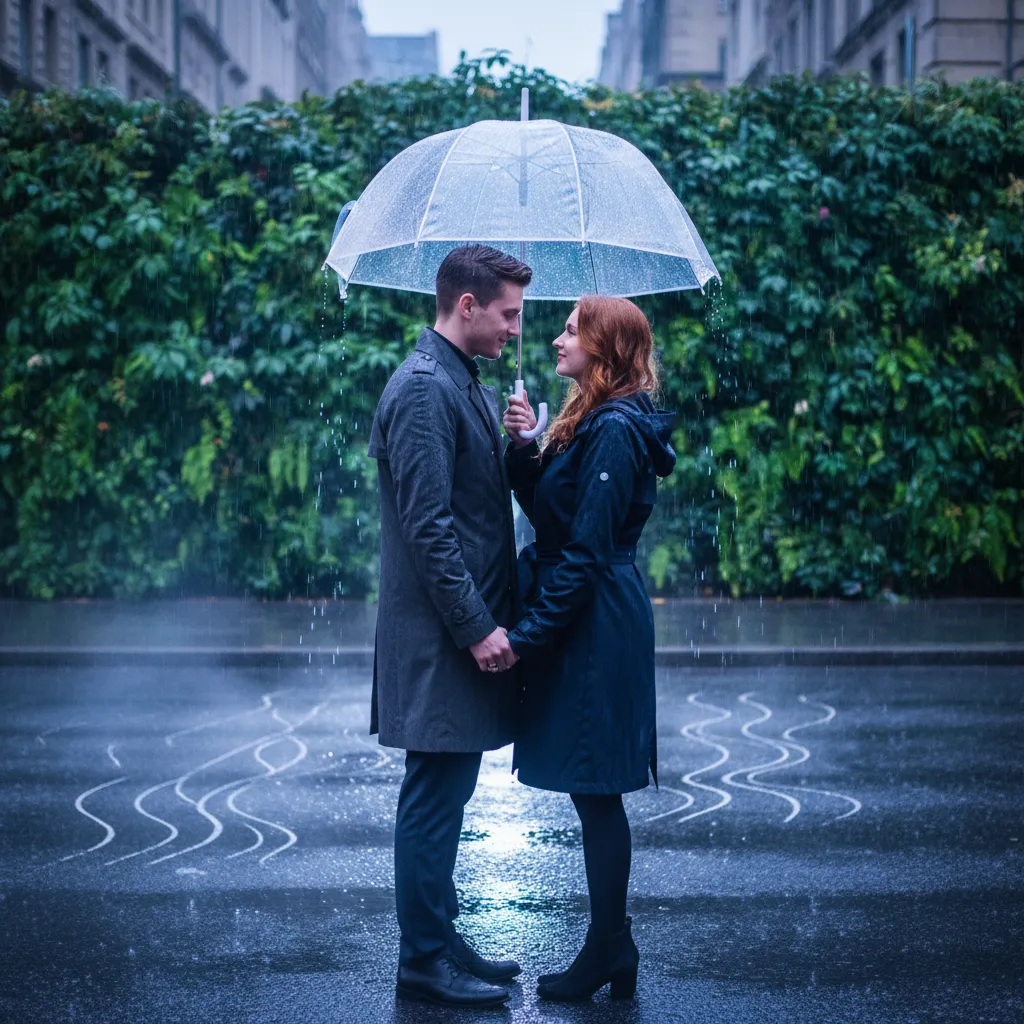
3. Romantic Couple Under Rain
“Keep faces exact as uploaded. Render an Indian couple standing closely on a wet street during gentle rain, sharing a transparent umbrella. The boy wears red and black checked shirt (rolled sleeves), grey slim-fit jeans, and white sneakers. The girl matches with a red-and-black check crop shirt tied neatly, high-waist grey skinny jeans, and white sneakers. The boy’s left hand is in pocket, right hand holding umbrella slanted slightly towards her. She looks at him smiling softly, one hand touching hair, the other resting gently on his arm. The scene uses cinematic blue-toned grading, softened light with lowered warmth, accurately reflecting light on wet pavement and lush greenery in the blurred background. The mood is romantic, fresh, and dreamlike.”
Tips for Creating Stunning Rainy Photos
Lighting Is Everything: Try prompts specifying “soft, diffused light” or “subtle reflections” to maintain realism.
Maintain Facial Accuracy: Add cues like “exact face match” or “no distortion” to keep your identity intact.
Experiment with Vibrance & Temperature: Cooler tones with slight vibrance lift make water surfaces and foliage pop beautifully.
Background Simplification Helps: Prompts that mention blurred greenery or soft-focus backgrounds aid cinematic depth.
Use I2I Feature: Upload your original photo to keep facial nuances while allowing AI to add rain mood effects convincingly.
Frequently Asked Questions
1. Can I use these prompts for photos taken indoors?
While outdoor photos with even lighting work best, soft-diffused indoor shots can also be transformed with the right prompt adaptations.
2. How do I keep my facial features unchanged in edits?
Always specify “exact face match” or “no face changes” in your prompt, and upload your original photo using Image-to-Image mode.
3. Can Gemini AI add realistic raindrops and wet reflections?
Yes—when prompts include “wet street reflections”, “soft rain”, and “diffused lighting”, Gemini excels at simulating these details.
4. How do I make the photo look romantic for couples?
Use prompts describing gentle smiles, close poses, shared umbrellas, and dreamy blue-toned color grading.
5. Are these prompts usable on mobile versions of Gemini AI?
Absolutely. Gemini AI’s web and mobile platforms both support prompt input and Image-to-Image uploads.
Conclusion
Rainy portraits carry a storytelling magic many crave, especially on Instagram or personal portfolios. Using Gemini AI’s rainy photo editing prompts, you don’t have to rely on complicated apps or editing skills. Just copy, paste, upload your photo, and watch as your images bloom into cinematic expressions of mood and atmosphere.
Give it a try! You’ll be surprised how quickly those rainy reflections and soft light can turn ordinary selfies into extraordinary keepsakes.
Ovais Mirza, a seasoned professional blogger, delves into an intriguing blend of subjects with finesse. With a passion for gaming, he navigates virtual realms, unraveling intricacies and sharing insights. His exploration extends to the realm of hacking, where he navigates the fine line between ethical and malicious hacking, offering readers a nuanced perspective. Ovais also demystifies the realm of AI, unraveling its potential and societal impacts. Surprisingly diverse, he sheds light on car donation, intertwining technology and philanthropy. Through his articulate prose, Ovais Mirza captivates audiences, fostering an intellectual journey through gaming, hacking, AI, and charitable endeavors.
Disclaimer: The articles has been written for educational purpose only. We don’t encourage hacking or cracking. In fact we are here discussing the ways that hackers are using to hack our digital assets. If we know, what methods they are using to hack, we are in very well position to secure us. It is therefore at the end of the article we also mention the prevention measures to secure us.