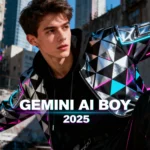
Cinematic 8K Gemini AI edited portrait of a stylish young man in urban setting.
Loading...
Introduction: The Power of Gemini AI for Boys’ Selfies
If you’ve been scrolling Instagram lately, you know selfies with cinematic vibes and ultra-realistic edits are ruling feeds—and Gemini AI is at the heart of this trend. It’s incredible how a few carefully crafted prompts can turn a simple selfie into an eye-catching, magazine-style portrait. For boys wanting to shine online in 2025, mastering Gemini AI prompts can be a game-changer.
Let me walk you through ten expert prompts that will elevate your photos from ordinary to viral, helping you capture that perfect glow-up.
Why Gemini AI Prompts Matter for Instagram
The secret sauce to viral AI photo edits lies in the prompt: the detailed instructions you feed Gemini AI to guide its creativity. These prompts balance style, lighting, pose, and setting, allowing for personalized yet professional results. With Instagram’s fast-paced visual culture, having striking photos that command attention means more followers, likes, and engagement. Gemini AI prompts give you the shortcut to polished visuals without the studio hassle.
10 Gemini AI Photo Prompts for Boys
Prompt 1: Create an ultra-realistic 8K portrait of a young Indian man with a fit body, standing confidently with a VIP suitcase in front of an Emirates airplane at the airport. The scene is dynamic, with blurred passengers boarding in the background. The man wears an oversized black shirt, cargo pants, white sneakers, and black round sunglasses, striking a stylish travel pose. Keep the face unchanged.
Prompt 2: Produce an 18K ultra-realistic full-body portrait of a handsome Pakistani man at an outdoor café. He stands relaxed, one leg slightly forward, adjusting his sunglasses, dressed in a dark gray shalwar kameez with a black shawl over one shoulder. Capture urban sophistication with ambient string lights and a white car blurred behind. Maintain exact facial features.
Prompt 3: Generate a hyper-realistic 16K ultra-HD portrait of a young man sitting peacefully by a calm riverbank. He wears a green jacket, ripped jeans, and white Nike sneakers, surrounded by lush nature and soft sunlight. The photo has cinematic tones and vibrant colors, with him wearing golden-framed sunglasses. Preserve his facial details.
Prompt 4: Create an 8K photo of a stylish young man on a spiral staircase rooftop at golden hour. He wears a gradient sweater fading from white to deep purple, black wristwatch, and sunglasses. The backdrop is a blurred city skyline, with natural warm lighting creating a cinematic vibe. Keep the face as in the uploaded photo.
Prompt 5: Make a photo of a young man in an oversized black and white striped sweater and denim pants, standing against a dark gray wall with green foliage overhead. He holds his head in one hand and wears a watch and chain. The look is casual yet edgy, with sharp jawline and direct gaze. No face changes.
Prompt 6: Produce a hyper-detailed cinematic portrait indoors, with the man leaning casually against a blue table in a modern home. He wears a mint green linen shirt and white tailored pants. Soft daylight highlights his natural skin texture and hair volume. The background includes white lilies and a patterned wall. Face details must match originally.
Prompt 7: Create an 8K cinematic portrait indoors, with the man leaning against a beige wall next to an antique dark wooden cabinet carved with floral designs. He wears a deep black textured kurta with rolled sleeves and a silver bracelet. The soft warm lighting highlights facial contours and fabric textures. Keep all facial features intact.
Prompt 8: Generate a full-body shot of a young man with short dark hair and beard, wearing sunglasses, a white shirt with rolled sleeves, light brown cargo pants, and white sneakers. He leans against a green railing, with a blurred park background. Maintain face fidelity.
Prompt 9: Create a seated portrait of a young man wearing a vibrant green long-sleeve shirt and white pants, looking down at a smartphone. The background is a soft-focus green garden scene. His face should be exactly as uploaded.
Prompt 10: Make a close-up outdoor portrait of a young man wearing a black puffer jacket and silver chain at sunset. He gazes upwards at the bright orange sky, with blurred city silhouettes in the background. Facial features are unaltered.
How to Use These Prompts for Maximum Impact
Upload a sharp selfie to Gemini AI, choose the photo editing mode, and paste the prompt that fits your style. Adjust resolution to 8K for crispness, tweak lighting or background settings for mood, then generate your image. Review, refine brightness and contrast, and save the final edit. Don’t forget to post with trendy hashtags to amplify reach!
Tips for Creating Viral Insta Portraits
Choose well-lit selfies—natural or strong soft light works best.
Experiment with different prompts to find your signature look.
Keep facial features consistent for authenticity.
Use cinematic or urban backgrounds for style.
Post consistently with similar styles to build your brand.
FAQs
Q1: Can I use these prompts on any Gemini AI platform?
A1: Yes! These prompts work on all Gemini AI tools that support photo editing.
Q2: How important is the photo quality I upload?
A2: Very important. Clear, well-lit photos yield the best results.
Q3: Are these edits suitable for professional use?
A3: Absolutely, the 8K cinematic quality is great for portfolios or social media brands.
Q4: Can I customize the prompts?
A4: Yes, you can tweak style, background, and lighting details in the prompts.
Q5: What’s the best way to share edited photos on Instagram?
A5: Use popular hashtags related to AI and photography, post during peak engagement times, and keep a consistent editing style.
Ovais Mirza, a seasoned professional blogger, delves into an intriguing blend of subjects with finesse. With a passion for gaming, he navigates virtual realms, unraveling intricacies and sharing insights. His exploration extends to the realm of hacking, where he navigates the fine line between ethical and malicious hacking, offering readers a nuanced perspective. Ovais also demystifies the realm of AI, unraveling its potential and societal impacts. Surprisingly diverse, he sheds light on car donation, intertwining technology and philanthropy. Through his articulate prose, Ovais Mirza captivates audiences, fostering an intellectual journey through gaming, hacking, AI, and charitable endeavors.
Disclaimer: The articles has been written for educational purpose only. We don’t encourage hacking or cracking. In fact we are here discussing the ways that hackers are using to hack our digital assets. If we know, what methods they are using to hack, we are in very well position to secure us. It is therefore at the end of the article we also mention the prevention measures to secure us.